
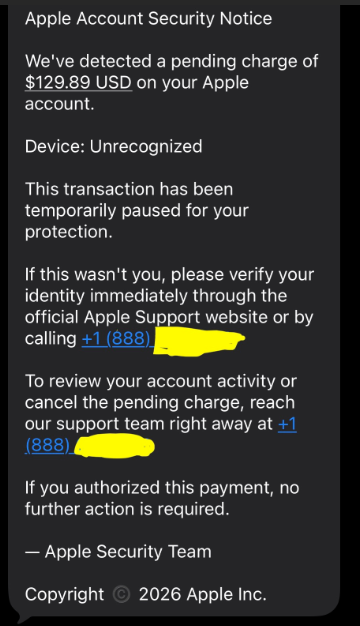
Clever Hacker! My friend received a text from “Apple” with a number to call and an alert of ‘suspicious activity’. He called the number 🤦♂️.
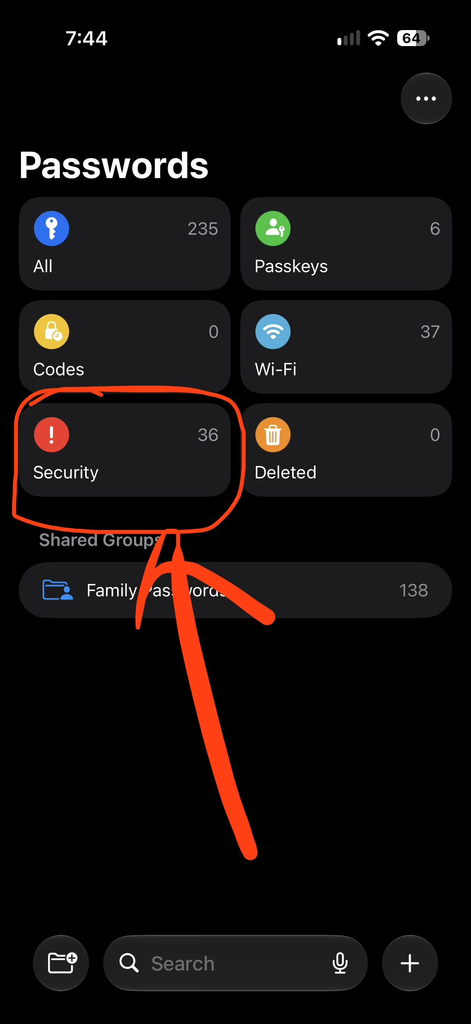
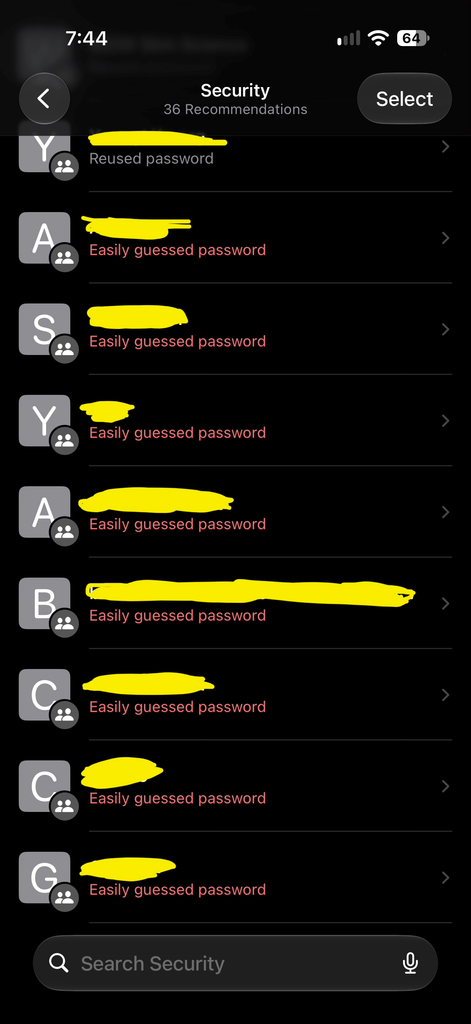
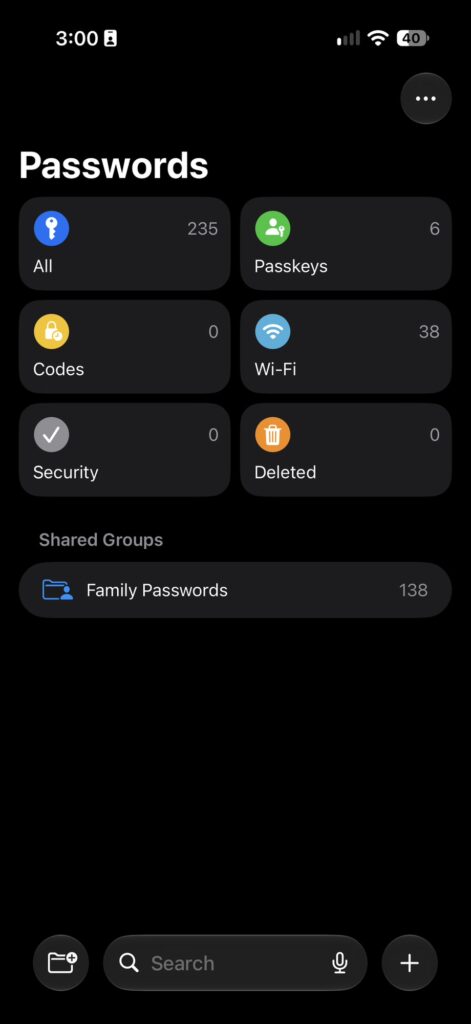
The foreign speaking “Kevin” asserted he was legit and had my friend go to his iPhone iOS Passwords app and had him click on ‘Security’ and it showed him several alerts of his saved passwords.
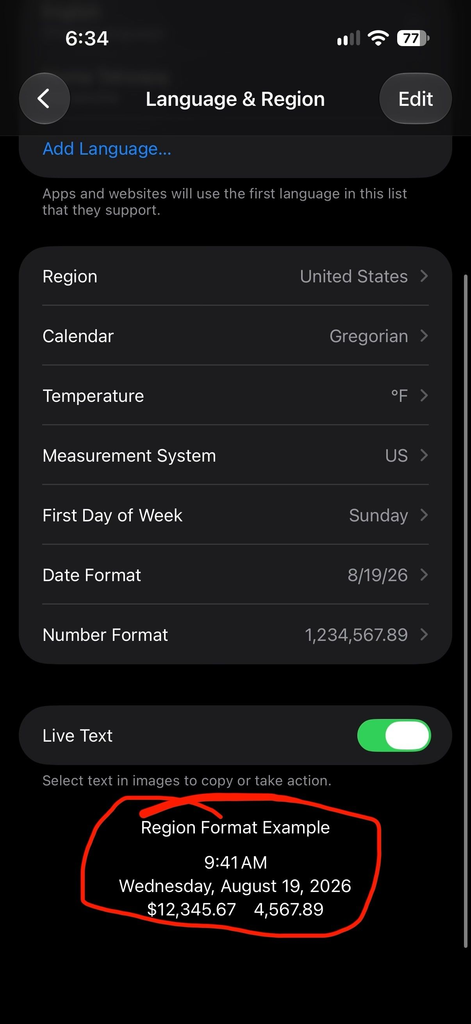
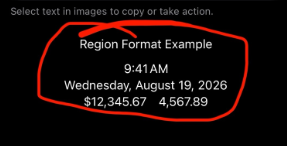
He then had him to go to Settings > General > Language & Region and at the bottom showed him that $12,345.67 was attempted on 8/19/26. Kevin stated this was a malicious attempt on his account and he needed to help my friend protect his account.
He said he needed to read off a code that was texted to him. This code also came from Apple and he gave him the code.
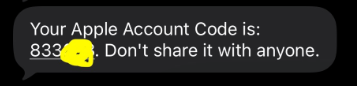
Kevin said some other stuff regarding money which then started setting off the smell test in a negative way. My friend hung up and immediately texted and called me to tell me the story and to see if this was a legit call. While on the phone with my friend, Kevin called him back several times. I walked him through how to reset his Apple ID password and it prompted him to wait 60 minutes with a countdown. I suspect Kevin couldn’t proceed with the account take over because of this security measure apple implemented a while ago. I normally wouldn’t give kudos to Apple, but on this it is well deserved. I will update this later with a link to a blog post that I will write more.
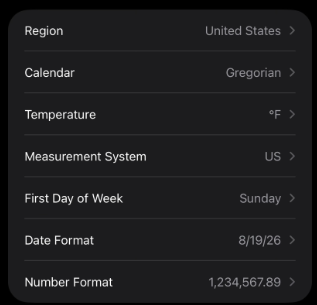
IMPORTANT NOTICE: Every iPhone will have a Settings > General > Language & Regional which will show you your preferred Geographic settings. My REGION is set to United States because that is where I live. My CALENDAR is Gregorian calendar because that is what Americans (and most of the world) uses. Other options is Japanese and Buddhist. My TEMPERATURE is set to F for Fahrenheit because that is the only proper way to measure how hot and cold it is. My MEASUREMENT SYSTEM is set to US because I can only count in fractions and not decimals. My FIRST DAY OF THE WEEK: Sunday (God’s Day); DATE FORMAT is MM/DD/YYYY; NUMBER FORMAT is 1,234,567.90 because commas should be used for proper segmentation of each thousands placement…THIS IS NOT A TRANSACTION HISTORY of a malicious attempt on my bank account or Apple ID. Please warn your friends, coworkers, or family who might be susceptible to these types of calls. The bad guys are smart.
If you use the iOS Passwords app, make sure you look at your Security tab for these items and update those passwords: Reused password, Easily guessed password, Compromised password.
Reused Password: This password is seen at least twice in your vault
Easily Guessed Password: This password can be easily brute forced because it doesn’t have enough entropy. Read these: security-vs-complexity-how-to-set-a-secure-password & secure-password-is-not-secure
Compromised Password: This account and/or password combo has been seen in a compromised database. Check haveibeenpwned.com
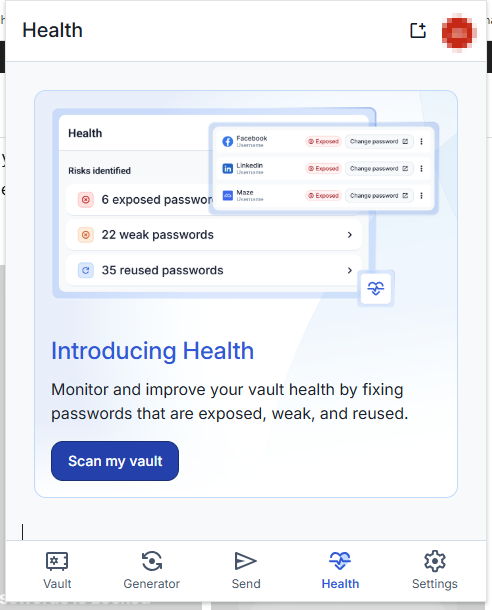
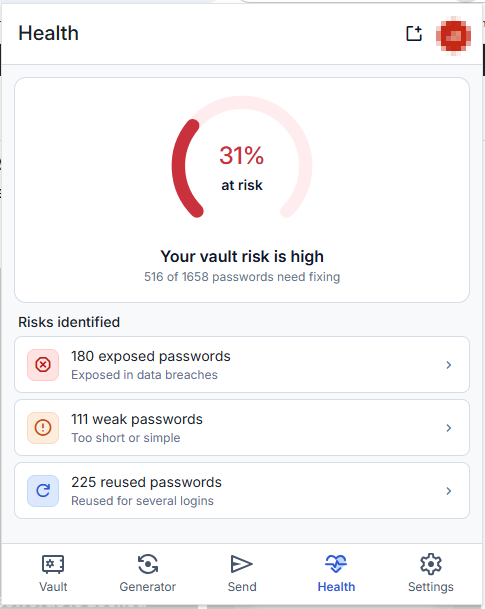
I prefer Bitwarden for my password manager of choice. It now offers a health check.
Stay Alert, Stay Alive…or at least more secure aware…